Service Hotline
Resources

Resources
Industrial HDMI Connectors: SMT vs THT, RA vs Vertical
2026-01-29
30
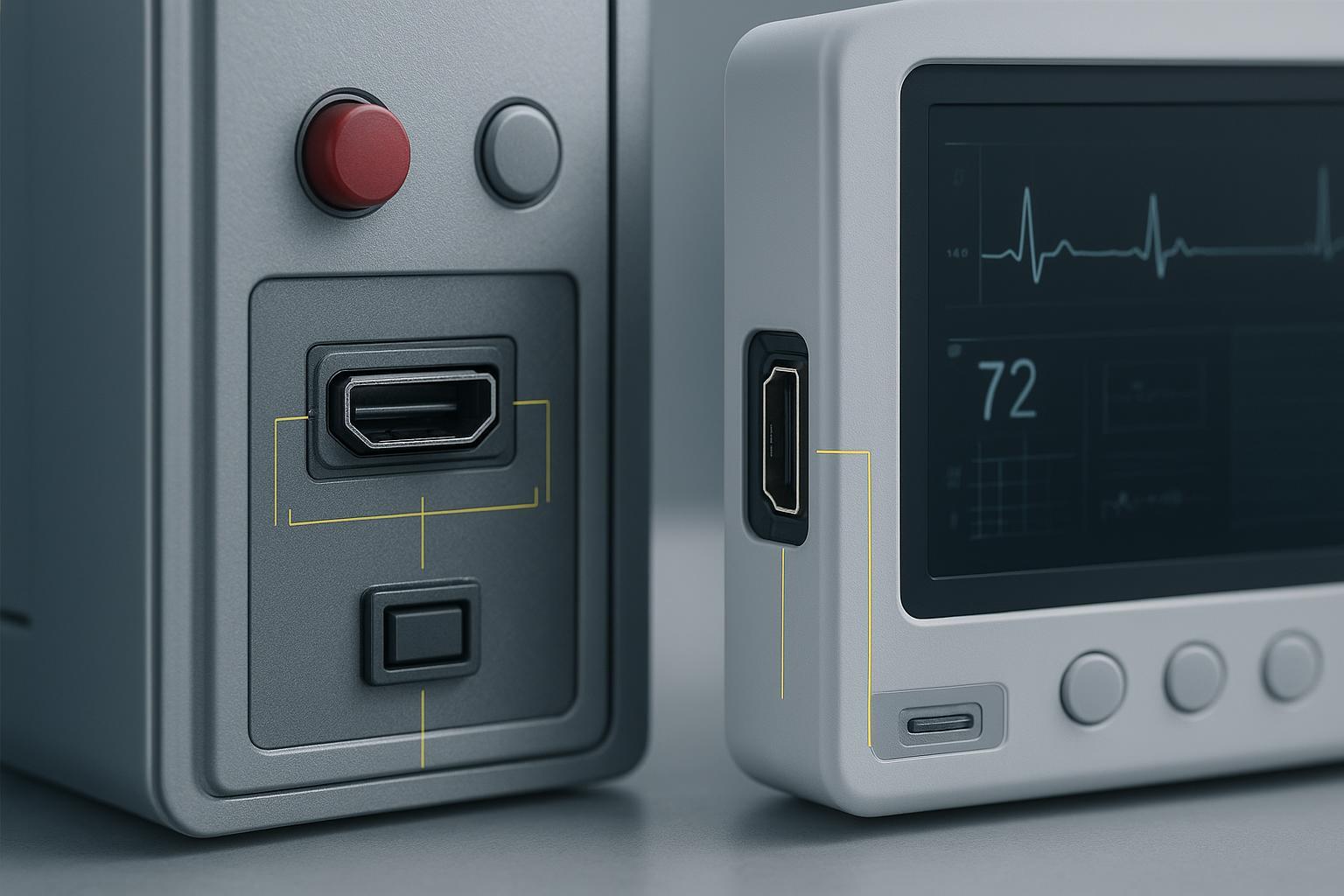 When you embed HDMI into an industrial HMI, medical monitor, imaging console, or kiosk, the connector choice decides a lot more than “will it fit.” It shapes vibration tolerance, cleaning survivability, EMI behavior near sensitive electronics, signal integrity at 18–48 Gbps, and even how cleanly your device passes incoming inspection. In this guide, I’ll unpack how to choose the right orientation and termination — right-angle versus vertical, SMT versus through-hole — and give you practical tests and checklists you can run on day one.
Key takeaways
l Favor through-hole or hybrid retention when vibration, shock, or operator torque is non-trivial; use SMT only if you offload the mechanics with brackets or posts.
l Right-angle works well at board edges and slim bezels but increases lateral torque; vertical can lower torque at the pads but needs more z-height and bend-radius room.
l For sealing, validate the mated pair to IP65–IP69K as required and retest after thermal cycling; do not assume a bulkhead or gasket alone is enough.
l Place ESD and common-mode control at the connector and keep 100 Ω differential continuity through the breakout; add a retimer only when the end-to-end budget demands it.
l Build a procurement pack that includes HDMI Adopter evidence, RoHS and REACH declarations, vibration and pull-out test results, and dimensional drawings.
How to choose industrial HDMI connectors at a glance
If your panel will see regular handling or any real vibration, start with a through-hole receptacle or an SMT body that includes through-board stakes and a metal shell bonded to the chassis. If space is tight and you must go SMT, design a bracket that grabs the connector can or use posts that carry the load into the frame. For cable approach, use right-angle at board edges when the cable must run parallel to the panel; choose vertical when a straight-through entry reduces lever arm forces. Think of it this way: the right mechanical path keeps torque out of tiny solder joints, the right electrical path keeps discontinuities out of your eye diagram.
Connector forms and mounting types explained
Engineers often treat orientation and termination style as a late mechanical choice, but both have first-order effects on reliability and layout. Here is a concise orientation guide you can use during stack-up planning.
Option | Where it shines | Watch-outs |
Right-angle receptacle | Clean board-edge I/O in slim bezels, cable runs parallel to panel, easy shielding to chassis | Higher lateral torque on pads during accidental pulls; reinforce with brackets or through-board stakes |
Vertical receptacle | Straight-through panel interfaces, less lateral torque at pads, simpler strain relief | Needs more z-height and bend-radius clearance; panel cutout alignment is critical |
SMT termination | Tight space and short return paths for high-speed; efficient reflow assembly | Must offload mechanics in vibration and frequent mating; risk of pad peel under torque |
Through-hole termination | Superior mechanical anchoring in shock and vibration; field-service-friendly | Consumes board space and adds wave/selective steps; careful SI via planning required |
Evidence behind these patterns appears consistently in electronics manufacturing primers comparing SMT and through-hole methods, which note the mechanical strength advantage of THT and the density and high-frequency routing advantages of SMT. See overviews like the KSN PCB comparison on surface-mount versus through-hole processes that highlight these trade-offs in practice: KSN’s SMT vs THT overview and their THT process page explaining mechanical anchoring benefits.
Mechanical reliability that survives the field
Industrial and clinical panels live with bumps, vibration, and repeated mating cycles. Your connector strategy should plan for the abuse you expect, not the spec on a quiet bench. I recommend validating with a mix of shock and vibration profiles taken from the IEC 60068 family and tailored to your mounting brackets and mass. Intertek’s summaries of IEC 60068-2-6 sinusoidal vibration and IEC 60068-2-27 shock testing are good primers when you craft your test plan.
Practical patterns that work:
l Use metal-shell connectors and define a low-impedance bond to chassis. A continuous 360° contact to the bezel or a spring-finger frame reduces EMI and increases mechanical robustness.
l Where you must pick SMT for space, specify variants with through-board locating posts or add a laser-cut bracket that captures the shell and screws to the panel. This keeps lever-arm forces out of solder.
l Define a minimum pull-out and retention target based on the deployment. For a public kiosk, your target might exceed a light tug; for a bedside monitor, a firm accidental pull. Test with a simple jig, then inspect per IPC-A-610 and re-mate to confirm durability.
l Match expected mating cycles to the connector’s spec and add margin. Many HDMI receptacles are rated in the hundreds to low thousands of cycles; confirm in the datasheet of your chosen part. TE’s portfolio pages, such as the TE Connectivity HDMI product examples, illustrate orientation and termination styles along with operating temperature ranges.
Environmental sealing for real-world cleaning and spray
Where fluids, dust, or washdowns are expected, treat sealing as a system. Verify the mated pair, the gasketed panel interface, and the strain relief as one unit. Vendors like Bulgin publish rugged HDMI variants in sealed circular shells with validation to IP68 and IP69K, which sets a high bar for ingress protection when properly mated. Their brochure documents test context and part families for front and rear panel mounting in the Standard Series HDMI range; see the Bulgin Standard Series HDMI IP68 and IP69K brochure.
If you are targeting high-pressure hot water cleaning like in vehicle or factory washdown, align your test plan with IPx9K parameters. TÜV SÜD’s overview lists typical conditions — roughly 80–100 bar pressure at around 80 °C, short dwell per angle, and close nozzle distances — which you can adapt to your fixture and gasket design; see TÜV SÜD’s IP protection testing overview with IPx9K. Always re-run sealing checks after thermal cycling so you catch gasket set or fastener relaxation.
Signal integrity, EMI, and ESD around the HDMI entry point
At HDMI 2.0 and above, the connector breakout is usually your dominant discontinuity on the board. Keep the differential impedance at 100 Ω, minimize stubs, and preserve a continuous reference plane under the pairs as you escape the footprint. Place ESD directly at the connector with flow-through pinouts so you do not introduce long detours on high-speed lines. Texas Instruments’ TPD8S009 is a common choice for HDMI-specific protection, and the product page shows how to place it at the entry point; see TI’s TPD8S009 ESD protection device.
When budgets get tight or cable lengths grow, a redriver or retimer can bring margin back. TI’s TDP1204, designed for high-speed HDMI signal conditioning, includes layout and budgeting guidance you can apply when deciding placement and via strategy; see TI’s TDP1204 retimer and layout guidance. Use these devices sparingly: if your connector, breakout, and cable assembly already meet your insertion-loss and eye targets, don’t add active parts just because they exist.
A few grounding and bonding reminders: tie the connector shell to chassis with a short, wide bond; avoid skinny pigtails that add inductance. Stitch grounds at layer transitions to keep return paths tight. Keep common-mode chokes close if your compliance testing shows radiated or conducted emissions tied to the HDMI pairs.
Compliance and procurement without surprises
You can save weeks by asking suppliers for the right documents up front. For industrial HDMI connectors used in regulated environments, I expect a minimum packet with HDMI licensing evidence and environmental declarations, plus the mechanical and test artifacts you need for incoming inspection.
l HDMI licensing and branding: Only licensed adopters may use HDMI trademarks and logos. Confirm adopter status and understand the compliance program expectations for version claims. The HDMI organization explains adopter registration and compliance on their official pages; start with the HDMI Adopter registration overview.
l Environmental documentation: For EU shipments, collect RoHS declarations and REACH Article 33 statements, including SCIP notifications if any SVHCs exceed 0.1% w/w. The European Commission’s pages outline what suppliers must provide; see the EC RoHS directive overview and the EC REACH regulation overview.
l Datasheets and drawings: Ask for detailed mechanical drawings, footprint recommendations, and if available, test data for vibration, pull-out, and mating cycles. TE’s public product pages, such as the example linked earlier, show the level of mechanical detail you should expect.
selection and incoming inspection checklist:
l Confirm HDMI adopter evidence, part number, and version support; file links ready for QA.
l Collect RoHS and REACH declarations and any SCIP IDs; log exemptions if claimed.
l Acquire dimensional drawings, recommended footprint, and panel cutout data; set IPC-A-610 acceptability criteria.
l Define and run basic validation: pull-out force, vibration or shock screening, mated-pair sealing if applicable, and quick SI spot checks around the connector and breakout.
Case studies and selection templates
Two short, real-world scenarios illustrate how these choices come together.
Industrial kiosk at a transit station
l Context: Frequent public use, occasional cable yanks, moderate outdoor vibration. The bezel is slim, and the cable must run parallel to the panel.
l Choice: Right-angle receptacle with through-hole stakes, metal shell bonded to the chassis, and a small L-bracket capturing the can. Panel-mount gasketed surround if light spray is possible. Validate per a sine sweep and a simple pull-out target aligned to expected abuse.
Medical bedside monitor
l Context: Cleaning with disinfectants, sensitive imaging electronics nearby, quiet mechanical environment.
l Choice: Vertical receptacle behind a sealed panel interface to simplify strain relief and reduce lateral torque on pads. Add ESD at the entry and a common-mode choke, and run an IP65–67 mated-pair check with cleaning agents, followed by SI spot checks.
Practical example with a vendor reference
l Disclosure: Kinghelm is our product. If you need a reference for sourcing variants across orientations and terminations, scan a vendor’s HDMI line for right-angle and vertical receptacles offered in both SMT and through-hole, and verify the availability of through-board posts or bracket features. Once you shortlist, request drawings and environmental declarations. For a general look at families offered alongside other interface types, you can browse industrial HDMI connectors on the Kinghelm products overview and apply the same evaluation process outlined in this guide. Alternatives from other reputable vendors are appropriate as well; rugged circular and panel solutions like Bulgin’s sealed HDMI shells or TE’s board-mounted receptacles can meet your requirements when matched to the environment and validated with the tests above.
Appendix with mini test protocols and references
Pull-out and retention
l Build a simple fixture that holds the device and mates a known HDMI plug. Apply a steadily increasing axial and lateral force while monitoring continuity, then inspect joints to IPC-A-610. Record force at first intermittent drop and at separation. Set acceptance based on your deployment profile.
Vibration and shock
l Mount the unit in the exact bracket and panel arrangement you plan to ship. For vibration, run a swept sine per IEC 60068-2-6 to find resonances, then a random profile representative of field conditions. For shock, use half-sine pulses per IEC 60068-2-27. Inspect and re-mate after each phase, logging any intermittent opens.
Sealing
l For IP65–67, run mated-pair tests with your final gasket, torque, and fasteners; include cleaning chemicals in a follow-up soak or spray as applicable. For IPx9K-like washdown, match temperature, pressure, angles, and dwell to your use case and confirm no ingress or electrical damage post-test.
Signal integrity spot checks
l Capture S-parameters around the connector and breakout; compare against your insertion-loss budget. Run eye checks at the receiver with protection parts in place. Place or remove a retimer based on measured margin, not instinct.
References cited in this guide
l Bulgin circular HDMI with IP68 and IP69K validation: Bulgin Standard Series HDMI brochure.
l IPx9K parameter overview: TÜV SÜD IP protection testing.
l Vibration and shock overviews: Intertek on IEC 60068-2-6 sinusoidal vibration and Intertek on IEC 60068-2-27 shock.
l SMT and THT trade-offs: KSN PCB on SMT vs THT and KSN PCB on THT process.
l HDMI ESD and retimer examples: TI TPD8S009 ESD device and TI TDP1204 retimer.
l HDMI licensing program: HDMI Adopter registration overview.
l Environmental compliance: EC RoHS directive overview and EC REACH regulation overview.
Related Recommendations